
In today’s digital world, almost every online platform asks users to complete verification before they can fully use an account. Whether you are signing up for a banking app, social media profile, freelancing platform, shopping website, gaming service, or digital wallet, understanding how to verify online accounts is very important. Verification helps protect your account, keeps your information secure, and prevents fraud or fake identities.
Many people feel confused when they see requests for ID cards, phone verification, selfies, or address confirmation. The good news is that most verification processes are simple when you understand the steps clearly. In this detailed guide, you’ll learn everything about how to verify online accounts, including different verification methods, security tips, common problems, and ways to complete verification faster and safely.
What Is Online Account Verification?
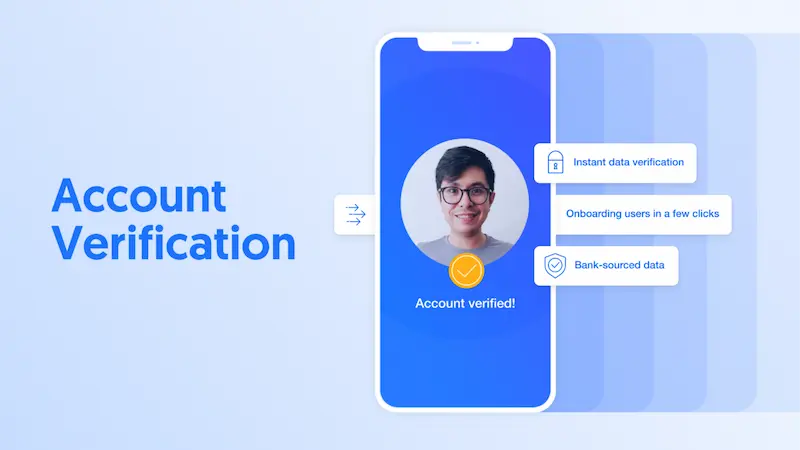
Online account verification is a process used by websites and apps to confirm that you are a real person and the actual owner of the account. Companies use verification systems to reduce scams, fake accounts, identity theft, and unauthorized access.
Verification is now a standard requirement across many industries because online fraud has increased significantly over the years. Platforms want to ensure that users are genuine and trustworthy before allowing access to certain features.
Why Online Account Verification Is Important
Many users skip understanding verification and simply complete the steps quickly. However, knowing why verification matters can help you protect yourself online.
Improves Security
The biggest reason for verification is account security. Verified accounts are harder for hackers to steal because they are connected to your real identity, email, and phone number.
Prevents Fraud and Fake Accounts
Social media apps, payment platforms, and marketplaces use verification to reduce fake profiles and scams. This creates a safer environment for users.
Unlocks Platform Features
Many websites restrict features until your account is verified.
Examples include:
- Sending larger payments
- Receiving international transactions
- Selling products online
- Running advertisements
- Accessing premium tools
Helps With Account Recovery
If you lose your password or phone, verified information makes it easier to recover your account safely.
Builds Trust and Credibility
Verified accounts often appear more trustworthy to customers, clients, and other users. This is especially important for freelancers, businesses, influencers, and sellers.
Types of Online Account Verification
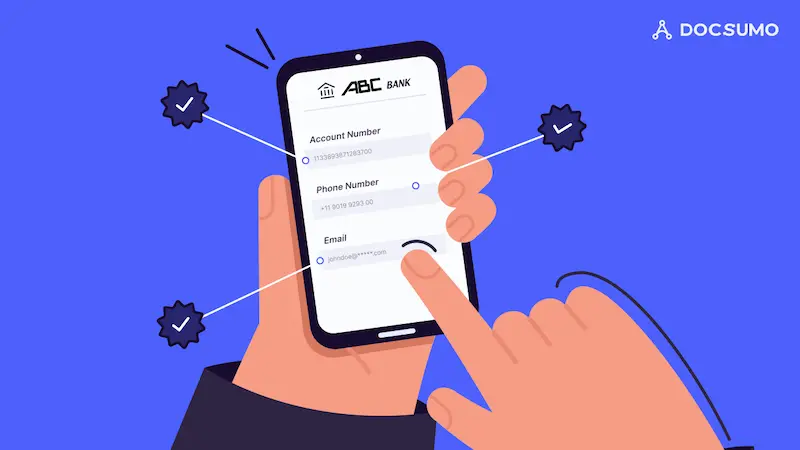
Different platforms use different verification methods depending on their security requirements. Below are the most common types.
Email Verification
Email verification is usually the first step when creating an online account.
How Email Verification Works
- You create an account
- The platform sends a verification email
- You open the email
- Click the confirmation link
- Your email becomes verified
Why Email Verification Matters
Email verification:
- Confirms you used a real email address
- Helps platforms communicate with you
- Allows password recovery
- Protects against spam accounts
Tips for Successful Email Verification
- Use an active email address
- Check spam and junk folders
- Wait a few minutes before requesting another email
- Add the platform to your safe sender list
Phone Number Verification
Phone verification adds another layer of protection.
How It Works
- Enter your mobile number
- Receive a code through SMS or call
- Enter the code on the platform
- Verification is completed
Benefits of Phone Verification
- Improves account security
- Helps prevent fake accounts
- Enables two-factor authentication
- Supports account recovery
Common Phone Verification Problems
Wrong Country Code
Always select the correct country code before entering your number.
Delayed SMS Codes
Sometimes codes arrive late because of network issues.
Unsupported Numbers
Certain virtual or temporary numbers may not work.
Identity Verification
Identity verification is more advanced and is common on:
- Banking apps
- Freelancing platforms
- Payment services
- Cryptocurrency exchanges
- E-commerce seller accounts
Documents Commonly Accepted
Most platforms accept:
- National ID card
- Passport
- Driver’s license
Some may also request:
- Tax documents
- Business licenses
- Residence permits
How Identity Verification Works
Step 1: Upload Document Photos
You upload front and back photos of your identification.
Step 2: Submit a Selfie
Many platforms ask for a live selfie to compare your face with the ID.
Step 3: Automated or Manual Review
The system reviews your documents using AI or human verification teams.
Step 4: Approval or Rejection
You receive a notification once verification is complete.
Tips for Uploading ID Documents
Many users fail verification because of poor-quality images.
Best Practices
Use Good Lighting
Natural light helps improve photo clarity.
Avoid Blurry Images
Hold your phone steady while taking photos.
Keep All Corners Visible
Do not crop the document.
Remove Covers or Plastic
Glare can make information unreadable.
Use Original Documents
Never edit or alter identification images.
Address Verification
Financial institutions often require proof of address.
Accepted Documents
Common documents include:
- Utility bills
- Bank statements
- Government-issued letters
- Internet or phone bills
Address Verification Requirements
The document should:
- Show your full name
- Match your account information
- Display your full address
- Be recent, usually within 3 months
You may also like to read this:
Ultimate Digital Wallet Guide For Fast Digital Payments
How To Create Payoneer Account Easily In 2026 Full Guide
How To Setup PayPal Alternative Account In Simple Steps
Online Banking Account Guide | How To Open And Use Easily
Ecommerce Seller Account Setup For Beginners: Simple Guide
Biometric Verification
Biometric verification uses physical characteristics to verify identity.
Common Biometric Methods
Facial Recognition
The system scans your face using your phone camera.
Fingerprint Verification
Some apps use fingerprint scanners.
Voice Recognition
A few services use voice authentication.
Why Biometric Verification Is Popular
Biometric systems are:
- Faster
- More secure
- Difficult to fake
- Convenient for users
How to Verify Online Accounts Step by Step
Now let’s go through a complete step-by-step guide for successful account verification.
Step 1: Create Your Account Correctly
Always use:
- Real full name
- Valid email address
- Active phone number
- Correct date of birth
Avoid fake information because it may cause permanent suspension later.
Step 2: Verify Your Email Address
Open your inbox and click the verification link.
If You Don’t Receive the Email
Try these solutions:
- Check spam folder
- Refresh your inbox
- Request another email
- Use another email provider
Step 3: Verify Your Phone Number
Enter the code sent to your mobile number.
Tips
- Keep your SIM active
- Ensure good network signal
- Double-check your number before submitting
Step 4: Upload Identification Documents
This is often the most important step.
Important Tips
Use Clear Photos
Low-quality images often get rejected.
Match Account Information
Your ID details must match your account information.
Avoid Expired Documents
Most platforms reject expired IDs immediately.
Step 5: Complete Face Verification
During selfie verification:
- Look directly at the camera
- Remove sunglasses or masks
- Use good lighting
- Follow movement instructions carefully
Step 6: Wait for Approval
Verification may take:
- A few minutes
- Several hours
- Up to several days
The waiting time depends on the platform and verification complexity.
Platforms That Usually Require Verification
Many online services now require verification.
Social Media Platforms
Social media apps verify accounts to:
- Prevent fake profiles
- Reduce spam
- Improve user trust
Some platforms also offer official verified badges.
Payment Services
Digital wallets and money transfer apps require verification for:
- Sending money
- Receiving payments
- Increasing transaction limits
Freelancing Websites
Freelancers often verify identity before withdrawing earnings.
Verification helps:
- Prevent fraud
- Protect clients
- Improve marketplace trust
Online Banking Platforms
Banks require strict verification because of financial regulations and anti-money laundering laws.
E-commerce Seller Platforms
Seller verification protects buyers from scams and fake stores.
Gaming Platforms
Gaming services sometimes require verification for:
- Purchases
- Age restrictions
- Security protection
Common Online Verification Problems
Many users face problems during verification.
Verification Email Not Arriving
Solutions
- Check spam folder
- Add the sender to contacts
- Wait a few minutes
- Request another email
SMS Code Not Working
Possible Causes
- Incorrect phone number
- Network delay
- Expired code
Solutions
- Request a new code
- Restart your phone
- Check network signal
Document Rejected
Common Reasons
- Blurry images
- Expired documents
- Cropped photos
- Incorrect details
Selfie Verification Failure
Causes
- Poor lighting
- Face not visible
- Camera quality issues
Account Under Review for Too Long
Sometimes platforms manually review accounts.
What You Can Do
- Wait patiently
- Contact customer support
- Re-upload documents if requested
How to Verify Online Accounts Faster
Here are some expert tips to speed up the process.
Prepare Documents Before Starting
Keep these ready:
- Government ID
- Utility bill
- Phone number
- Email access
Use Stable Internet
Slow internet can interrupt uploads and cause errors.
Follow Instructions Carefully
Read every instruction before uploading documents.
Use Matching Information
Your:
- Name
- Address
- Date of birth
should match across all documents.
Upload High-Quality Photos
Good image quality increases approval chances.
How to Keep Verified Accounts Safe
Verification alone is not enough. You must also protect your account afterward.
Enable Two-Factor Authentication
Two-factor authentication adds extra login security.
It usually requires:
- SMS codes
- Authentication apps
- Security keys
Use Strong Passwords
A strong password should include:
- Uppercase letters
- Lowercase letters
- Numbers
- Symbols
Avoid using:
- Birthdays
- Simple words
- Repeated passwords
Avoid Public Wi-Fi
Public networks are risky for sensitive activities like verification.
Never Share Verification Codes
Scammers often ask for verification codes pretending to be support agents.
Real companies never ask for your codes directly.
Monitor Account Activity
Check:
- Login history
- Security alerts
- Suspicious transactions
Benefits of Verified Online Accunts
Verified accounts offer several advantages.
Higher Transaction Limits
Payment apps often increase limits after verification.
Better Platform Trust
Verified sellers and businesses appear more reliable.
Faster Customer Support
Some platforms prioritize verified users.
Improved Security
Verified accounts are harder to steal or misuse.
Access to Premium Features
Certain features remain locked until verification is complete.
Future of Online Account Verification
Technology continues improving verification systems.
AI-Based Verification
Artificial intelligence now detects:
- Fake documents
- Edited photos
- Suspicious activity
Faster Automated Systems
Modern systems verify accounts within minutes instead of days.
Advanced Biometric
Future systems may use:
- Eye scanning
- Voice recognition
- Behavioral analysis
Stronger Fraud Detection
Companies are investing heavily in preventing online scams and identity theft.
Mistakes to Avoid During Online Verification
Avoid these common errors.
Using Fake Information
This can permanently suspend your account.
Uploading Edited Documents
Never modify ID photos or screenshots.
Ignoring Security Settings
Always enable security features after verification.
Using Expired IDs
Expired documents are one of the biggest reasons for rejection.
Rushing the Process
Carefully review all information before submission.
Final Thoughts
Learning how to verify online accounts is extremely important in today’s digital world. Whether you use online banking, social media, freelancing platforms, shopping websites, or digital wallets, account verification helps protect your identity and improves your overall online security.
The process may seem confusing at first, but once you understand the steps, it becomes much easier. Always use real information, upload clear documents, follow platform instructions carefully, and protect your verified accounts with strong security settings.
A properly verified account gives you better trust, more features, higher security, and smoother access to online services. By following the tips in this guide, you can complete account verification safely, quickly, and successfully in 2026 and beyond.
FAQs About How to Verify Online Accounts
What does online account verification mean?
Online account verification is the process of confirming that you are the real owner of an account. Platforms verify your identity using email confirmation, phone verification, ID documents, selfies, or address proof to improve security and prevent fraud.
Why is online account verification important?
Online account verification helps protect your account from hackers, fake profiles, scams, and unauthorized access. It also allows users to unlock additional features like higher payment limits, faster transactions, and account recovery options.
How do I verify my online account?
To verify your online account, you usually need to:
Confirm your email address
Verify your phone number
Upload identity documents if required
Complete selfie or biometric verification
Wait for approval from the platform
What documents are needed for account verification?
Most platforms accept:
National ID card
Passport
Driver’s license
Some services may also ask for:
Utility bills
Bank statements
Business documents
How long does online account verification take?
Verification time depends on the platform.
Email verification: Instant
Phone verification: Instant
ID verification: A few minutes to 48 hours
Address verification: 1 to 5 days
Some accounts require manual review, which can take longer.