
If you are planning to start working online, the first and most important step is a proper Freelancer account setup. Think of it as building your digital identity. This is the place where clients will judge your skills, trust your profile, and decide whether to hire you or not.
A strong setup increases your chances of getting work, while a weak or incomplete profile can make it very hard to get noticed—even if your skills are good. Let’s go through everything in detail in a simple and clear way.
Step 1: Understand What a Freelancer Account Is

A freelancer account is your professional profile on an online platform where you offer services to clients worldwide. It works like a combination of:
- Resume
- Portfolio
- Job application
Your entire freelancing career depends on how well you build this profile.
Step 2: Choose a Freelancing Platform
The first practical step in Freelancer account setup is selecting a platform where you want to work.
There are many freelancing platforms available, but the idea is to choose one that suits your skills and goals.
When choosing, consider:
- Type of work available
- Competition level
- Payment system
- Ease of getting started
It is better to focus on one platform first instead of trying multiple platforms at the same time.
Step 3: Create Your Basic Account
Now you begin the actual signup process.
You will need to enter:
- Full name (use your real name)
- Email address
- Password
- Country and timezone
Make sure all details are accurate because they will be linked to your account permanently.
A professional email is recommended because it creates a better impression.
Step 4: Verify Your Account
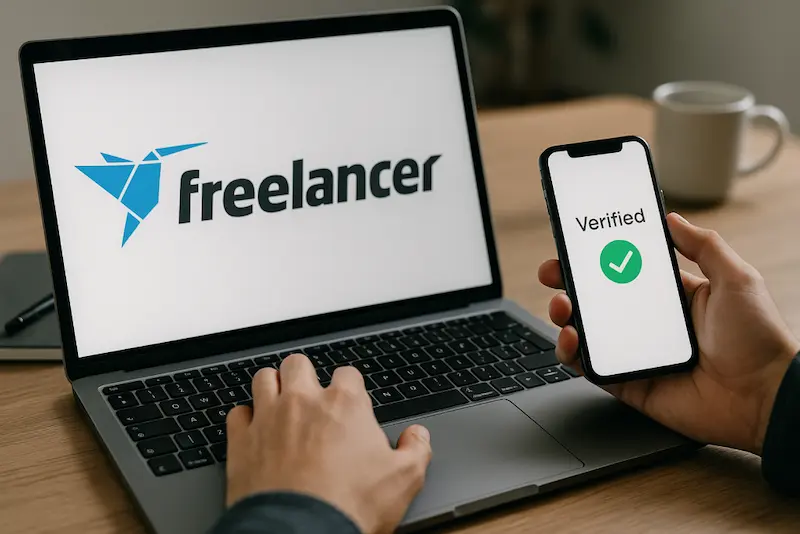
After registration, most platforms will ask you to verify your account.
This usually includes:
- Email verification
- Phone number verification
Some platforms may also require identity verification later.
Verification is important because it:
- Increases account trust
- Unlocks more features
- Helps you get client attention
Step 5: Add a Professional Profile Picture
Your profile picture is one of the most important parts of Freelancer account setup.
A good profile picture should:
- Clearly show your face
- Have good lighting
- Look professional
- Have a simple background
Avoid using unclear photos, group pictures, or heavily edited images.
Clients are more likely to trust a complete and professional-looking profile.
Step 6: Write a Strong Profile Title
Your profile title is a short description of what you do.
Instead of writing something general, be specific.
Examples:
- Graphic Designer specializing in logo design and branding
- Content Writer focused on SEO articles and blog writing
- Social Media Manager helping businesses grow online
A clear title helps clients immediately understand your expertise.
You may also like to read this:
How To Create Payoneer Account Easily In 2026 Full Guide
How To Setup PayPal Alternative Account In Simple Steps
Online Banking Account Guide | How To Open And Use Easily
Ecommerce Seller Account Setup For Beginners: Simple Guide
Best Tips For How To Verify Online Accounts Fast And Safely
Step 7: Write a Detailed Bio
Your bio is one of the most important parts of Freelancer account setup because it introduces you to clients.
A good bio should answer:
- Who you are
- What skills you have
- What services you offer
- How you help clients
Example structure:
Start with your profession, then explain your experience, and finish with how you can help clients.
Keep it simple, direct, and professional. Avoid unnecessary complexity.
Step 8: Select Your Skills
During setup, you will be asked to choose your skills.
Choose carefully because this affects the jobs you see and get.
Best practices:
- Select only relevant skills
- Focus on your strongest abilities
- Avoid adding unrelated skills
Examples of common freelance skills:
- Writing
- Graphic design
- Web development
- Digital marketing
- Virtual assistance
Step 9: Add Work Experience
Even if you are a beginner, you should still complete this section.
You can include:
- Past jobs (online or offline)
- Freelance practice work
- Internship experience
- Training or courses
If you have no experience, mention that you are a beginner but highlight your skills and willingness to work.
Step 10: Build Your Portfolio
Your portfolio is proof of your skills. It shows clients what you can actually do.
You can add:
- Sample projects
- Practice work
- Mock designs
- Writing samples
If you don’t have real client work yet, create your own sample projects. This is completely normal for beginners.
Step 11: Set Your Pricing
Pricing is an important part of Freelancer account setup.
If you are new:
- Start with lower rates
- Focus on gaining experience
- Increase prices gradually
As you gain reviews and experience, you can increase your rates over time.
Step 12: Optimize Your Profile
After completing the basic setup, you should improve your profile further.
Good optimization includes:
- Writing clear descriptions
- Keeping profile fully completed
- Using relevant keywords naturally
- Updating skills and portfolio regularly
A complete profile gets more visibility and trust.
Common Mistakes to Avoid
Many beginners fail because of simple mistakes such as:
- Incomplete profile
- Weak or unclear bio
- No portfolio
- Random skill selection
- Poor profile picture
- Unrealistic pricing
Avoiding these mistakes will instantly improve your chances of success.
Final Thoughts
A proper Freelancer account setup is not just a formality—it is your first step toward building a successful online career. Your profile represents you in front of global clients, so it should look professional, clear, and complete.
Take your time to build it properly. Focus on your strengths, add real samples, and present yourself in a confident and simple way. A strong profile will help you get your first client much faster and set the foundation for long-term freelancing success.
FAQs – Freelancer Account Setup
1. What is a Freelancer account setup?
A Freelancer account setup is the process of creating and completing your profile on a freelancing platform. It includes adding your personal details, skills, experience, portfolio, and pricing so clients can hire you for work.
2. Why is Freelancer account setup important?
It is important because your profile acts as your online identity. A well-structured setup helps you build trust, attract clients, and increase your chances of getting freelance projects.
3. Can a beginner create a Freelancer account?
Yes, even beginners can create a freelancer account. You don’t need professional experience to start. You can add sample work, skills, and a strong bio to get started.
4. What should I include in my Freelancer profile?
You should include:
A professional profile picture
Clear profile title
Detailed bio
Relevant skills
Portfolio or sample work
Pricing or rates
Experience (if any)
5. Do I need experience to start freelancing?
No, experience is not mandatory. Beginners can start by creating sample projects and improving skills while applying for small jobs.