
If you’re looking for a clear online banking account guide, you’re in the right place. This online banking account guide will help you understand everything in detail—what it is, how it works, how to open an account, and how to use it safely in your daily life.
The idea here is simple: instead of making banking feel technical or confusing, I’ll explain it like I’m talking directly to you, step by step.
What Is an Online Banking Account?
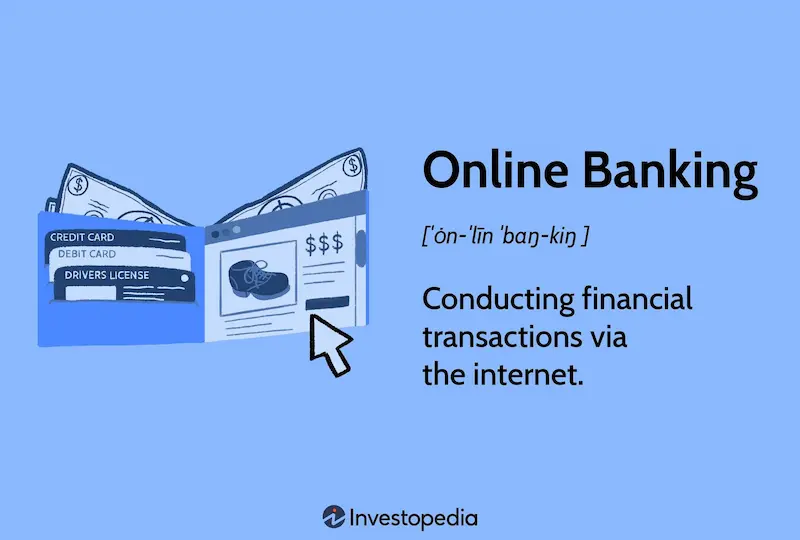
An online banking account is a digital version of your regular bank account that you can access using the internet. It allows you to manage your money without visiting a bank branch.
In simple words, your bank is always available on your phone or computer.
With online banking, you can:
- Check your balance anytime
- Send and receive money instantly
- Pay bills without standing in queues
- Track your spending history
- Manage your debit/credit card
It works through a secure login system provided by your bank.
Why Online Banking Has Become So Important
Today, almost every bank offers online services because people want speed and convenience.
Here’s why it matters so much:
1. Saves Time
You don’t need to visit a bank for small tasks like checking balance or transferring money.
2. Available 24/7
Unlike physical branches, online banking never closes.
3. Easy Money Transfers
You can send money to anyone in seconds, even if they live in another city.
4. Better Money Control
You can see all your transactions in one place, which helps you manage your budget better.
5. Safe and Secure
Modern banks use strong security systems like OTPs, encryption, and biometric logins.
How to Open an Online Banking Account (Step-by-Step)

Let’s go step by step so you can clearly understand the process.
Step 1: Choose a Bank
First, select a bank that offers strong online banking services. Almost all major banks provide it, but features may differ.
Look for:
- Mobile app quality
- Security features
- Easy user interface
- Customer support
Step 2: Open a Basic Bank Account
Before using online banking, you need a normal savings or current account.
You will usually provide:
- CNIC or ID card
- Mobile number
- Email address
- Proof of address (if required)
Step 3: Register for Online Banking
After your account is opened, you need to activate online banking.
You can do it in three ways:
- At the bank branch (most common)
- Through the bank’s official website
- Through the mobile banking app
Step 4: Create Your Login Details
This is very important. You will set:
- Username or Customer ID
- Strong password
- Security questions (in some banks)
Your password should be strong, not something easy like your name or birthdate.
Step 5: Verify Your Account
Banks usually send a code (OTP) to your mobile number or email to confirm your identity.
Once verified, your online banking account becomes active.
Step 6: Set Security Features
You may also set:
- Fingerprint login
- Face recognition
- Transaction alerts (SMS/email)
These features keep your account safe from unauthorized access.
You may also like to read this:
Fast & Secure Online Money Transfer Apps For Worldwide Use
Best Payment Gateways For International Money Transfers
Ultimate Digital Wallet Guide For Fast Digital Payments
How To Create Payoneer Account Easily In 2026 Full Guide
How To Setup PayPal Alternative Account In Simple Steps
How to Use an Online Banking Account
Once your account is active, here’s how you can use it in daily life:
1. Check Your Balance
You can see how much money you have in real-time.
2. Send Money
You can transfer money using:
- Account number
- Mobile number
- IBAN (for international transfers)
3. Pay Bills
You can pay:
- Electricity bills
- Water bills
- Internet bills
- Mobile recharge
No need to go anywhere physically.
4. View Transaction History
You can see where your money is going, which helps you track spending.
5. Manage Your Card
You can:
- Block lost cards
- Set spending limits
- Activate international usage
Safety Tips for Online Banking
Security is very important when dealing with money online.
Follow these rules:
Never Share Your Password
Not even with bank employees.
Avoid Public Wi-Fi
Hackers can steal data on unsecured networks.
Use Official Apps Only
Always download apps from trusted sources.
Enable Notifications
So you instantly know when money moves in or out.
Log Out After Use
Especially on shared devices.
Common Problems and Easy Fixes
Sometimes issues happen, but they are usually simple.
Login Issues
Reset your password or contact customer support.
Slow App Performance
Update your banking app.
Transaction Not Completed
Wait a few minutes or check internet connection.
Locked Account
Visit your bank or call support to unlock it.
Advantages of Online Banking in Daily Life
Once you start using it regularly, you’ll notice big changes:
- You save time every week
- You don’t need to visit bank branches often
- You stay updated about your money instantly
- You can manage finances even while traveling
- You feel more in control of your spending
It basically makes banking part of your everyday phone usage.
Final Thoughts
This online banking account guide is designed to help you understand everything in a simple and practical way. Once you start using online banking, you’ll realize how much easier financial life becomes.
Instead of waiting in lines or worrying about bank timings, you can handle everything from your phone in minutes. That’s the real benefit of modern banking—fast, simple, and always available when you need it.
FAQs – Online Banking Account Guide
1. What is an online banking account?
An online banking account is a digital version of your bank account that allows you to manage money using the internet. You can check balances, transfer funds, and pay bills without visiting a bank branch.
2. Do I need to visit a bank to activate online banking?
In most cases, yes. You usually need to open a regular bank account first, and then activate online banking either at the branch, through the bank’s website, or mobile app.
3. Is online banking safe to use?
Yes, online banking is generally safe if you follow security rules. Banks use encryption, OTP verification, and secure login systems. However, you should always avoid sharing your password and using public Wi-Fi for transactions.
4. Can I use online banking on my mobile phone?
Yes, almost every bank provides a mobile banking app. You can download it and access all major features like transfers, bill payments, and balance checking from your phone.
5. What should I do if I forget my online banking password?
You can reset your password using the “Forgot Password” option on the login page. You may also need OTP verification or visit your bank for assistance.