
A Digital wallet guide is more than just an introduction to mobile payments—it’s a complete understanding of how modern money works in your daily life. If you’ve ever seen someone pay with their phone, send money instantly, or shop online without entering card details again and again, then you’ve already seen digital wallets in action.
This Digital wallet guide will help you understand everything in detail, step by step, in a very simple and practical way so you can actually use it confidently.
What is a Digital Wallet in Simple Terms?
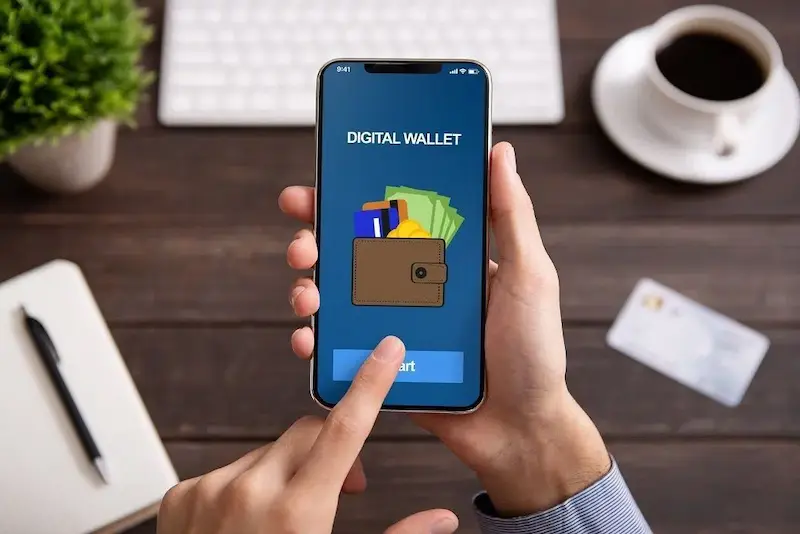
A digital wallet is an app or software that stores your payment details securely so you can make transactions without carrying physical cash or cards.
Think of it like this:
Your traditional wallet holds cash, cards, and receipts. A digital wallet holds all of that—but in your phone, protected by encryption and security systems.
In a proper Digital wallet guide, you’ll learn that it’s not just about storing money. It’s about:
- Sending money instantly
- Paying bills without going to the bank
- Shopping online safely
- Even paying in physical stores with a tap
It turns your smartphone into a complete financial tool.
How Digital Wallets Actually Work (Step-by-Step)
Let’s break it down in a very simple way so you don’t feel confused.
Step 1: Adding Your Payment Method
You connect your bank account, debit card, or credit card to the wallet app.
Step 2: Secure Storage
The wallet does not store your real card number in plain form. Instead, it uses encryption or tokenization, which means your details are converted into a secure code.
Step 3: Making a Payment
When you pay:
- You open the wallet
- Select the payment method
- Authenticate using PIN, fingerprint, or face unlock
- The system sends a secure token instead of your real card info
Step 4: Transaction Completion
The merchant receives payment confirmation instantly without seeing your private details.
This is why digital wallets are not just fast—they are also very secure.
Types of Digital Wallets Explained in Detail
A complete Digital wallet guide must explain the different types so you can choose the right one.
1. Closed Wallets
These wallets are limited to one company or platform. You can only use the money inside that system.
Example use:
- Online shopping apps that store refund balance
- Food delivery platforms
You cannot transfer money to a bank or other wallets from these.
2. Semi-Closed Wallets
These are more flexible. You can use them at multiple merchants but cannot withdraw cash.
Example:
- Paying at restaurants
- Online shopping
- Utility bills
These are widely used for everyday transactions.
3. Open Wallets
These are the most advanced wallets.
They allow:
- Money transfers to banks
- ATM withdrawals (in some cases)
- Payments everywhere
Banks usually provide these wallets, making them very reliable.
Why Digital Wallets Are Becoming So Popular
The reason behind the rise of digital payments is simple: convenience.
Here’s what makes them so powerful:
1. Instant Transactions
No waiting, no counting cash—payments happen in seconds.
2. No Physical Cash Needed
You can leave your wallet at home and still manage everything.
3. Better Security Than Cash
Cash can be stolen. Digital wallets are protected by passwords, biometrics, and encryption.
4. Easy Record Keeping
Every transaction is saved automatically, so you can track your spending.
5. Perfect for Online Shopping
No need to enter card details every time you buy something.
Real-Life Uses of Digital Wallets
A practical Digital wallet guide should show where you can actually use it in daily life:
Online Uses
- Shopping on websites and apps
- Paying for subscriptions like streaming services
- Booking tickets (flights, buses, movies)
Offline Uses
- Grocery stores
- Restaurants and cafes
- Petrol stations
- Small shops with QR payments
Money Transfers
- Sending money to family and friends
- Paying freelancers or workers
- Splitting bills with friends
How to Set Up a Digital Wallet (Detailed Guide)
If you’re starting from zero, here’s how you can set it up easily:
Step 1: Download a Trusted App
Install a secure and popular digital wallet from the official app store.
Step 2: Register Your Account
Enter your phone number or email and verify it using OTP.
Step 3: Complete Identity Verification
Some wallets may ask for:
- CNIC or ID card
- Basic personal details
- Bank verification
Step 4: Link Your Bank or Card
Add your debit card, credit card, or bank account.
Step 5: Set Security Features
Enable:
- PIN code
- Fingerprint lock
- Face recognition (if available)
After this, your wallet is ready for use.
You may also like to read this:
Best Online Payment Methods 2026 | Safe & Fast Guide
How To Receive International Payments Guide 2026
Ultimate Guide To Secure Digital Payment Options Online
Fast & Secure Online Money Transfer Apps For Worldwide Use
Best Payment Gateways For International Money Transfers
Security Features You Should Know
A strong Digital wallet guide must explain security because this is where people worry the most.
Digital wallets use:
- Encryption (to protect data)
- Tokenization (to hide real card numbers)
- Biometric authentication (fingerprint or face ID)
- OTP verification for transactions
Even if your phone is lost, your money remains safe if security settings are strong.
Advantages and Disadvantages
Advantages
- Very fast payments
- Easy to use
- Reduces need for cash
- Safe and encrypted
- Helps manage expenses
Disadvantages
- Needs internet connection
- Risk if phone is not secured
- Not accepted everywhere in rural areas
- Technical issues sometimes occur
Understanding both sides gives you a realistic view.
Common Mistakes to Avoid
Many people misuse digital wallets without knowing risks. Avoid these mistakes:
- Using weak passwords
- Sharing OTPs with anyone
- Logging in on public devices
- Ignoring transaction alerts
- Not updating the app regularly
Following basic safety rules keeps your money protected.
Future of Digital Wallets
The future is clearly moving toward a cashless society. Digital wallets will become even more powerful with:
- AI-based spending tracking
- Automatic savings suggestions
- Cryptocurrency integration
- Voice-based payments
- Smart wearable payments (like watches)
Soon, you might not even need your phone—just your watch or fingerprint.
Final Thoughts
A Digital wallet guide is essential today because money is no longer just physical—it’s digital, fast, and connected. Once you understand how it works, you realize how much easier life becomes. From paying bills to shopping online or sending money to family, everything becomes instant and hassle-free.
If you’re not using a digital wallet yet, you’re missing out on one of the simplest ways to manage money in the modern world.
FAQs – Digital Wallet Guide
1. What is a digital wallet in simple words?
A digital wallet is an app on your phone or computer that stores your payment details so you can send money, receive payments, and pay online or in stores without using cash or physical cards.
2. Is using a digital wallet safe?
Yes, digital wallets are generally very safe. They use security features like encryption, PIN codes, fingerprint scanning, and OTP verification to protect your money and personal information.
3. Do I need a bank account to use a digital wallet?
In most cases, yes. Many digital wallets require you to link a bank account or debit/credit card. However, some wallets also allow limited use without a bank account, depending on the service.
4. Can I transfer money from a digital wallet to a bank account?
Yes, most open digital wallets allow you to transfer money directly to your bank account quickly and securely.
5. Where can I use a digital wallet?
You can use a digital wallet for:
Online shopping
Bill payments (electricity, water, internet)
Mobile recharge
Sending money to friends and family
Paying at stores using QR codes or NFC