
If you want to understand How to setup PayPal alternative, think of it as creating your own online payment system that lets you send and receive money globally without relying on PayPal. Many people do this because PayPal is not available everywhere, has higher fees in some cases, or doesn’t support certain countries and business types.
The good part is this: setting up a PayPal alternative is not complicated at all. You just need to choose the right platform, complete verification, and connect your bank or payment method.
Let’s go through everything step by step in a simple and detailed way.
What is a PayPal Alternative?
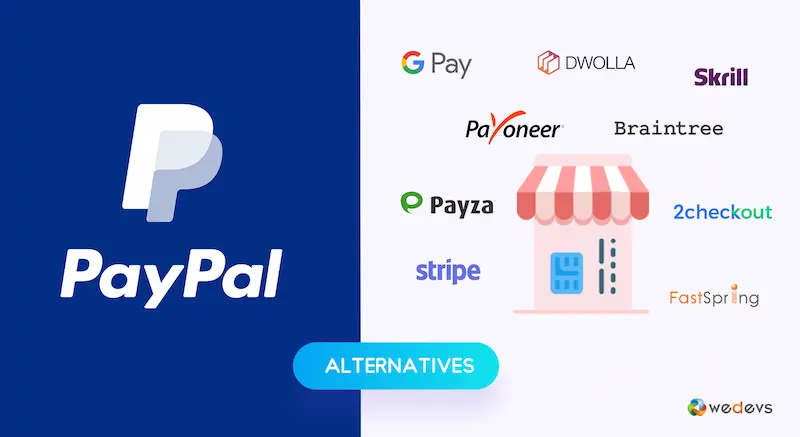
A PayPal alternative is any digital payment service that works like PayPal but may offer better features depending on your needs. These platforms allow you to:
- Receive international payments
- Send money worldwide
- Withdraw earnings to your bank account
- Pay for online services or business tools
Some popular options people use instead of PayPal include:
- Wise (for low-cost international transfers)
- Payoneer (for freelancers and online workers)
- Stripe (for online businesses and e-commerce)
- Skrill (for digital wallet and global payments)
Each one serves a slightly different purpose, so choosing the right one matters a lot.
Step 1: Decide Which PayPal Alternative You Need
Before creating an account, you should first ask yourself: What do I actually need this for?
- If you are a freelancer working with international clients → Payoneer or Wise is a strong choice
- If you run an online store or website → Stripe is more suitable
- If you just want a simple digital wallet → Skrill can work
This step is important because each platform has different rules, fees, and withdrawal methods.
Step 2: Create Your Account
Once you choose your platform, go to its official website or app and sign up.
During registration, you will usually need to provide:
- Full legal name
- Email address
- Phone number
- Country of residence
- Date of birth
Make sure all details are correct and match your official documents. Payment platforms are very strict about identity accuracy.
Step 3: Complete Identity Verification
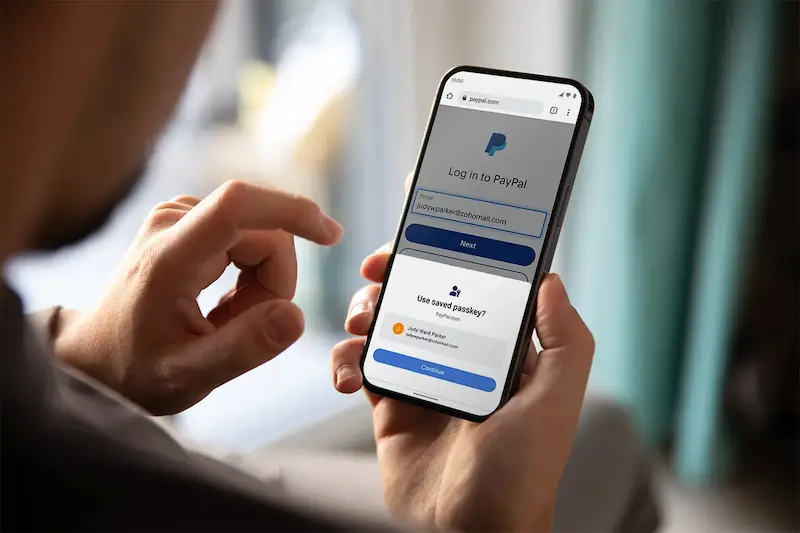
This is one of the most important steps in setting up any PayPal alternative.
To activate your account fully, you will need to verify your identity by uploading documents such as:
- National identity card or passport
- Proof of address (like a utility bill or bank statement)
- Sometimes a selfie for confirmation
For example, Payoneer requires verification before allowing you to receive or withdraw funds. This step helps prevent fraud and keeps your account secure.
Step 4: Add Your Bank Account or Payment Method
After verification, you will need to connect your bank account so you can withdraw money.
Here’s what you usually do:
- Enter your bank account number or IBAN
- Provide account holder name (must match your profile)
- Confirm small test deposits if required
Once your bank is linked, you can easily transfer money from your PayPal alternative to your local bank account.
Step 5: Set Up Receiving and Sending Options
Now your account is almost ready. Most PayPal alternatives offer extra tools depending on the platform:
- Invoice generation for clients
- Payment links for easy transfers
- Virtual accounts in different currencies
- Business dashboards for tracking income
- Optional debit cards for direct spending
For freelancers and online workers, these features are very helpful because they make receiving payments professional and easy.
Step 6: Start Using Your Account
Once everything is set up, you can finally start using your PayPal alternative.
You can:
- Send invoices to clients abroad
- Receive payments from international customers
- Withdraw funds to your bank account
- Pay for online services and tools
Platforms like Wise are especially useful for sending money between countries at low cost, while Payoneer is widely used for freelance marketplaces and remote work payments.
You may also like to read this:
Ultimate Guide To Secure Digital Payment Options Online
Fast & Secure Online Money Transfer Apps For Worldwide Use
Best Payment Gateways For International Money Transfers
Ultimate Digital Wallet Guide For Fast Digital Payments
How To Create Payoneer Account Easily In 2026 Full Guide
Security Tips You Should Follow
When using any PayPal alternative, security is very important. Always remember:
- Never share your login details with anyone
- Enable two-factor authentication if available
- Only use official apps or websites
- Regularly check your transaction history
- Avoid suspicious payment requests
These simple habits can protect your money and account.
Common Mistakes People Make
Many beginners face issues because they:
- Enter incorrect personal information
- Skip verification steps
- Choose the wrong platform for their needs
- Don’t understand transaction fees
- Ignore withdrawal rules and limits
Avoiding these mistakes will make your experience much smoother and stress-free.
Final Thoughts
Now you clearly understand How to setup PayPal alternative in a practical and beginner-friendly way. The process is simple: choose the right platform, create your account, verify your identity, and connect your bank.
Once you complete these steps, you can easily send and receive international payments without depending on PayPal. Whether you are a freelancer, business owner, or online seller, these alternatives give you more flexibility, better control, and often lower fees.
FAQs – How to Setup PayPal Alternative
1. What is the easiest PayPal alternative to set up?
The easiest PayPal alternatives to set up are usually Wise and Skrill. They have simple registration processes, quick verification, and user-friendly dashboards, making them beginner-friendly.
2. Do I need a bank account to use a PayPal alternative?
Yes, in most cases you need a bank account to withdraw money. However, some platforms also offer virtual cards or wallets that allow limited spending without immediately linking a bank.
3. Is identity verification required for all PayPal alternatives?
Yes, almost all trusted platforms require identity verification. This usually includes your ID card, passport, or proof of address to ensure security and prevent fraud.
4. Can I use PayPal alternatives without a business?
Yes, you can. Many PayPal alternatives like Payoneer and Skrill allow personal accounts for freelancers, students, and individuals who want to send or receive money.
5. Which PayPal alternative is best for freelancers?
Payoneer and Wise are widely considered the best options for freelancers because they support international payments, low fees, and easy withdrawals to local banks.